
You can use your mouse or keyboard in an alternate way through Ease of access settings. Also you can play with some Windows 7 settings that make the screen more readable and sounds more understandable.
Showing posts with label Windows 7 Basic. Show all posts
Showing posts with label Windows 7 Basic. Show all posts
Wednesday, January 19, 2011


Saturday, September 11, 2010
Change Resolution in Windows 7
Depending on your computer and monitor, you can display Windows 7 with various resolutions and text sizes. You can select the text and object size in the Display window and then go on to adjust the resolution. From the Personalization window:
1. Right click on desktop and select Personalize.
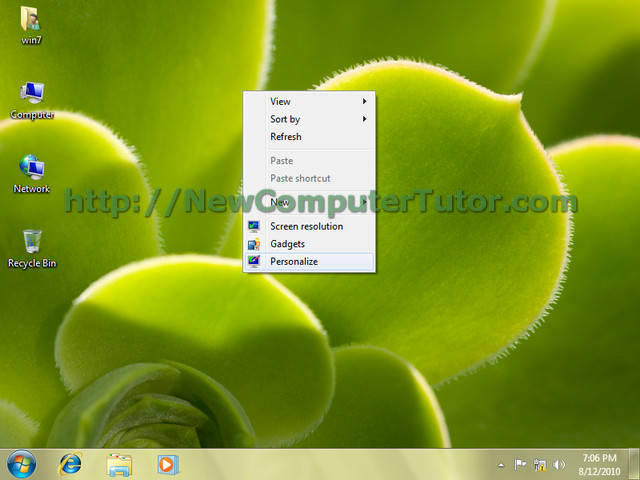
1. Right click on desktop and select Personalize.

Wednesday, September 1, 2010
Change Theme In Windows 7
1. By default windows 7 has a light blue theme plus some more themes available to choose. To see all the themes just right click on desktop and select Personalize.


Tuesday, August 31, 2010
Working With Gadgets in Windows 7
1. When you install Windows 7, you can see some gadgets on desktop. If its not by default on your desktop, just right click and select Gadgets.


Monday, August 30, 2010
Get Familiar with Windows 7 Desktop-Part 2
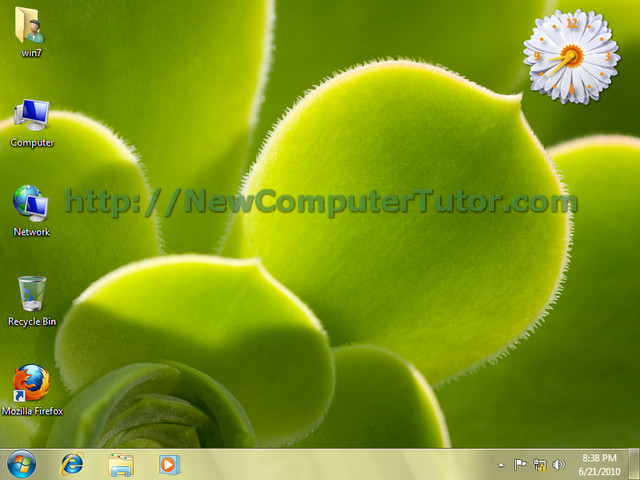
1. Windows 7 Desktop is made of some icons, a background wallpaper, some gadgets, the task bar with start menu icon, default program shortcuts, a notification area and date and time display.

Subscribe to:
Posts (Atom)